understanding linux: from kernel to desktop
a deep dive into how linux works—from the kernel at its core to the desktops, window managers, and compositors that shape your daily experience.
if you've ever wondered what makes linux tick or why there are so many “flavors” of it, you’re in the right place. linux isn’t just an operating system; it’s an ecosystem of modular components that you can mix, match, and reshape to fit how you want to compute.
in this post, i’ll break down the fundamental building blocks: the kernel, distributions, desktop environments, window managers, display servers, and how they all fit together.
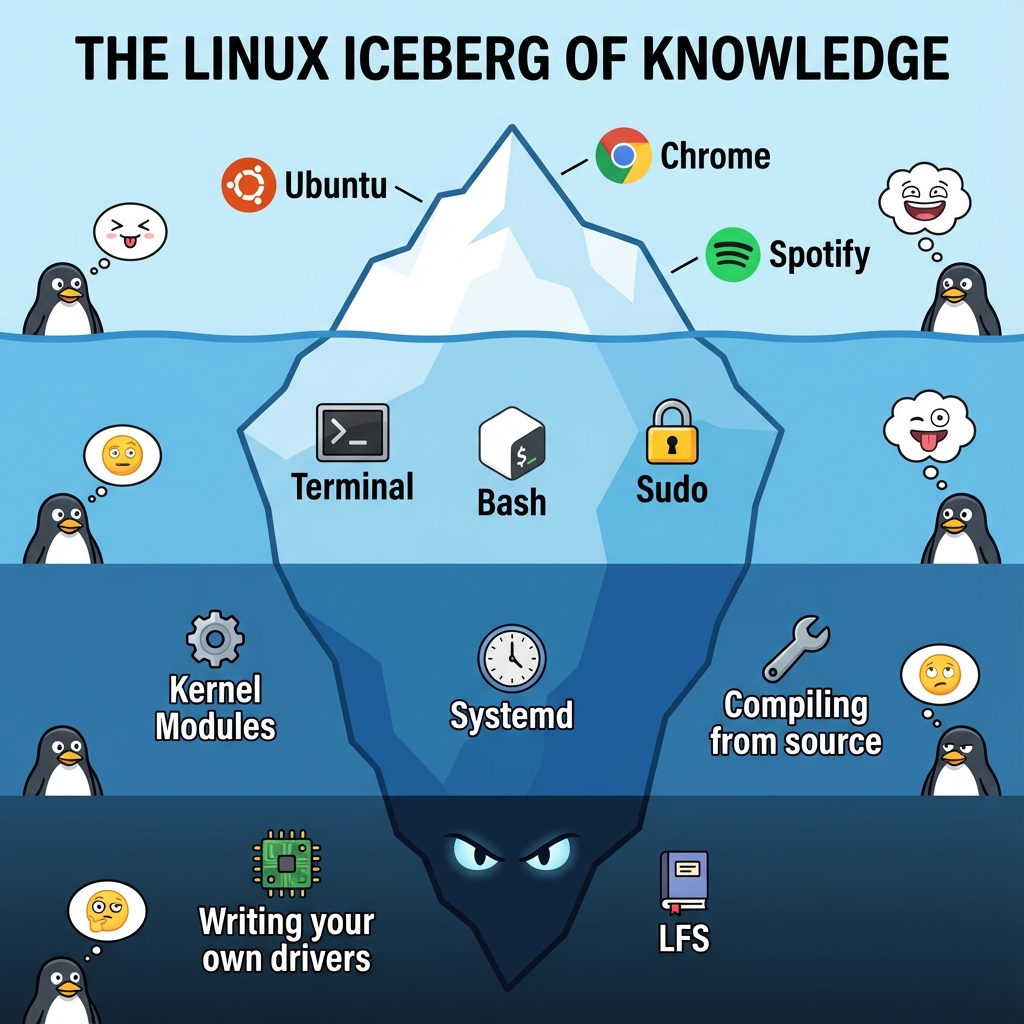
what is the linux kernel?
at the absolute core of any linux system is the kernel. think of it as the layer that mediates between your software and your hardware. every keypress, mouse click, disk read, or network packet passes through it.
the kernel’s responsibilities
the linux kernel handles several critical tasks:
-
process management
it decides which processes get cpu time and when. this scheduling is why you can compile code, stream music, and browse the web simultaneously without your system locking up. -
memory management
the kernel tracks ram usage, allocates memory to processes, and manages swap when physical memory runs low. -
device drivers
from keyboards to gpus, hardware talks to the system through drivers—most of which live inside the kernel or are loaded dynamically as modules. -
file system management
whether it’s ext4, btrfs, xfs, or something else, the kernel exposes a consistent interface for reading and writing data. -
networking
tcp/ip, routing, firewalls—linux’s networking stack is one of the reasons it dominates servers and infrastructure.
monolithic vs. microkernel
linux uses a monolithic kernel. all major subsystems—memory, scheduling, drivers—run in kernel space. this contrasts with microkernels, where most services live in user space.
the trade-off is deliberate. a monolithic design reduces context switching and improves performance. while a faulty driver can crash the system, linux mitigates this with a modular architecture that allows drivers to be loaded and unloaded at runtime.
# list loaded kernel modules
lsmod
# load a module
sudo modprobe <module_name>
# unload a module
sudo rmmod <module_name>
linux distributions: the flavors
a kernel alone doesn’t give you a usable system. distributions bundle the kernel with userland tools, libraries, package managers, defaults, and a philosophy.
a distro typically provides:
- a package manager (apt, pacman, dnf, etc.)
- preconfigured system services
- default applications
- documentation and community support
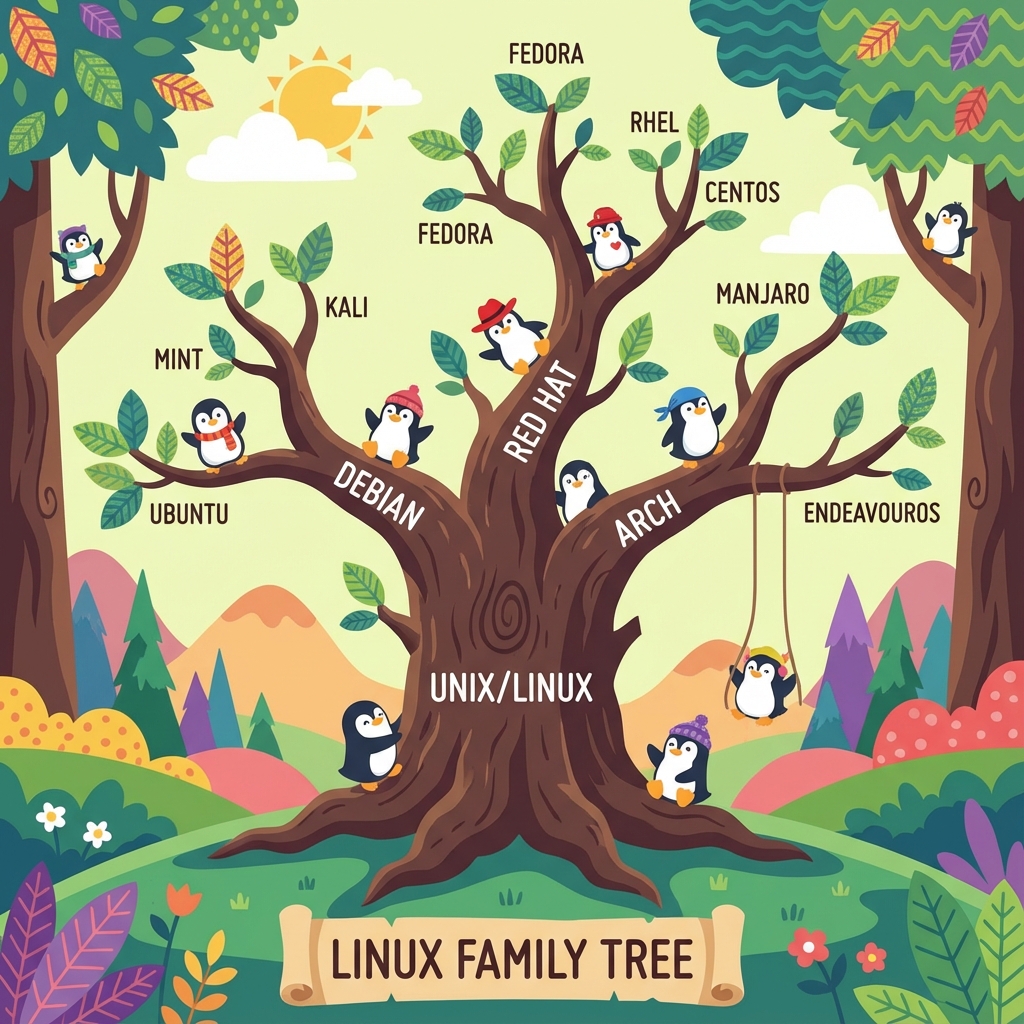
major distribution families
debian-based
debian emphasizes stability and reproducibility. ubuntu made linux mainstream, while mint and pop!_os refined the desktop experience. these systems revolve around apt.
red hat-based
fedora, centos stream, rocky linux. fedora often acts as a proving ground for newer technologies before they reach enterprise environments. package management is handled by dnf.
arch-based
arch linux follows a minimal, transparent philosophy. you build your system piece by piece. manjaro, endeavourOS, and cachyos make arch-based systems more approachable, often adding performance optimizations and better defaults. package management i handled by pacman.
independent gentoo (source-based), nixos (declarative systems), void linux (runit instead of systemd). these distros exist for users who want fundamentally different approaches.
choosing a distribution
there is no objectively “best” distro. the right choice depends on:
- stability vs. bleeding edge
- how much control you want
- documentation quality
- your primary use case (server, dev machine, daily driver)
i run cachyos on my main machine. it’s arch-based, but comes with optimized kernels, scheduler tweaks, and tuned packages out of the box—giving me arch’s flexibility without having to build everything from scratch.
desktop environments: the complete experience
a desktop environment (de) provides a full graphical stack:
- a window manager
- panels and system trays
- settings and configuration tools
- file managers and core utilities
- visual consistency
popular desktop environments
gnome opinionated and polished. recent gnome releases continue refining a keyboard-driven, distraction-free workflow. cohesive, but intentionally resistant to deep customization.
kde plasma extremely configurable without sacrificing performance. plasma has matured into one of the most feature-rich and efficient desktops available today.
xfce lightweight, traditional, and stable. ideal for older hardware or users who value predictability.
cinnamon a familiar, windows-like layout with modern internals. great for newcomers.
cosmic (in development) system76’s rust-based desktop aims to treat tiling as a first-class concept while improving separation of concerns compared to traditional desktops.
window managers: taking control
if desktop environments are furnished apartments, window managers (wms) are empty spaces you design yourself.
a wm focuses on one job: window management. everything else—bars, launchers, notifications—is optional and composable.
stacking vs. tiling
stacking wms windows float, overlap, and are dragged with the mouse. this is what most users are familiar with.
tiling wms windows automatically arrange themselves to fill available space. no overlap, minimal mouse usage, and extremely efficient workflows once muscle memory kicks in.
popular window managers
i3 simple, well-documented, and stable. often the first tiling wm people try.
sway a wayland-native replacement for i3. same philosophy, modern display stack.
dwm minimal to the extreme. configuration happens in c. loved by purists.
hyprland a wayland compositor focused on visuals and flexibility. smooth animations, powerful configuration, and rapid development made it extremely popular.
bspwm scriptable and precise. the wm itself is minimal; logic lives in external scripts.
my setup (and why it changed)
i previously ran hyprland and spent a lot of time tuning it. i even ended up creating one of the most upvoted “rice” posts on r/hyprland.
that experience taught me a lot—but it also clarified what i actually want from a window manager.
i’ve since switched to niri, a scrolling tiling window manager. instead of static splits, windows live in a continuous horizontal flow. you scroll through workspaces rather than constantly reshuffling layouts.
the result feels closer to how my brain organizes tasks: linear, ordered, and focused. less time managing layouts, more time doing actual work.
it’s linux’s philosophy in action—when something no longer fits your workflow, you replace it.
the modular philosophy
linux is modular by design:
- swap init systems
- replace your shell
- change your compositor
- run a fully custom kernel
- replace entire subsystems if you want
nothing is sacred. everything is replaceable.
this encourages experimentation. break things. rebuild them. understand why they work.
display servers: x11 vs. wayland
before anything appears on your screen, you need a display server.
x11 (xorg) powered linux desktops for decades, but it carries technical debt: security issues, tearing, and architectural limitations.
wayland is the modern replacement. it’s simpler, more secure by design, and handles high-dpi and multi-monitor setups far better. today, wayland is no longer “experimental” for most users—many distributions ship it as the default.
some edge cases still exist, but the direction is clear: wayland is the future of the linux desktop.
getting started
if you’re new to linux:
-
start with a beginner-friendly distro ubuntu (ofc), mint, fedora, or pop!_os are solid entry points.
-
learn the terminal even basic shell knowledge unlocks a lot of power.
-
read documentation the arch wiki is useful regardless of what distro you run.
-
don’t fear breaking things use virtual machines. reinstall. experiment.
-
join communities forums, subreddits, irc, discord—linux thrives on shared knowledge.
linux isn’t just software. it’s a way of thinking about systems: transparent, composable, and user-controlled.
once you go down the rabbit hole, there’s no real reason to come back.